
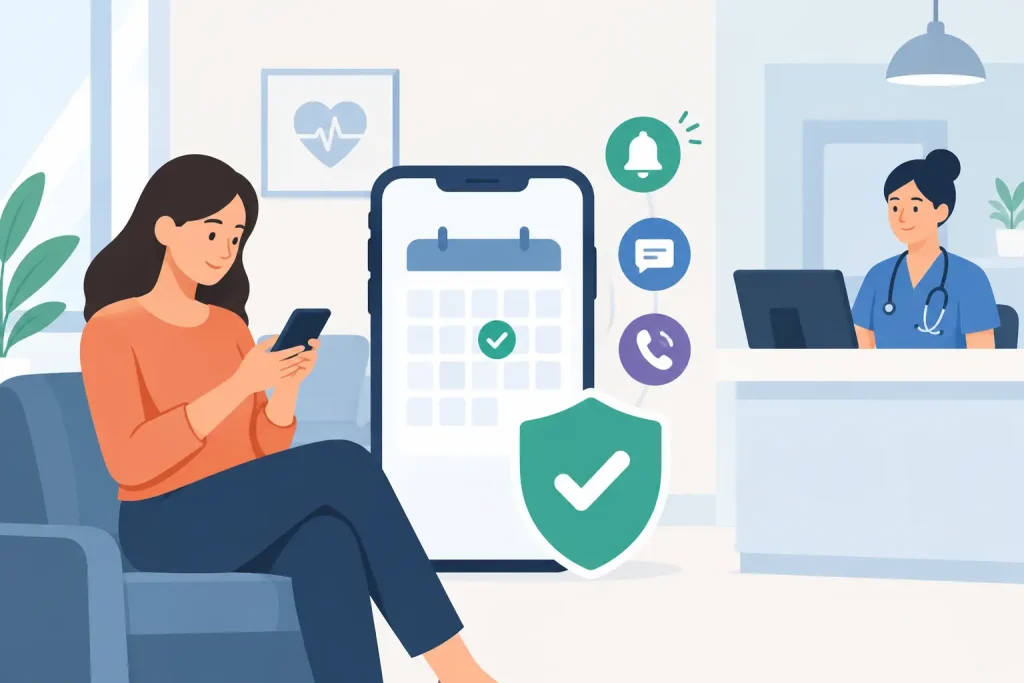
A patient misses a 2:00 p.m. appointment. Your clinician has already reviewed their notes, the room is ready, and there is not enough time to offer the slot to someone else. That lost hour affects more than revenue. It disrupts care plans, delays other patients, and adds another follow-up task to an already full day.
Learning how to reduce clinic no shows is not about punishing patients or sending more messages. It is about making every step of the appointment process clear, convenient, and easy to act on. The best systems reduce friction before an appointment becomes easy to forget or difficult to keep.
Why patients miss appointments
No-shows rarely have a single cause. A patient may have forgotten the date, misunderstood the location, run into a work conflict, or felt unsure about the cost. For telehealth appointments, they may not know where to find the session link or may worry that their technology will not work.
Some missed appointments are unavoidable. Illness, childcare emergencies, and transportation problems happen. But recurring no-shows often point to a workflow issue: booking is too far in advance without a check-in, reminders are inconsistent, cancellation requires a phone call, or patients do not receive the information they need at the right time.
Start by looking for patterns. Are no-shows higher for new patients, certain providers, early morning appointments, or virtual visits? Is there a long gap between booking and the first reminder? A simple report by appointment type, provider, and time of day can show where a small change will have the biggest effect.
How to reduce clinic no shows at booking
Prevention starts when the appointment is made. Whether patients book online or your front desk schedules them, they should leave the process knowing exactly what happens next.
Show the appointment date, time, provider, location or telehealth instructions, expected cost, and cancellation policy in the confirmation. Use plain language. “Your appointment is Tuesday at 3:00 p.m. Eastern” is clearer than a short calendar entry with no context.
For online booking, offer only appointment types that patients can understand. A long list of similar services can lead to incorrect bookings and later cancellations. Brief descriptions help patients choose the right visit and arrive with appropriate expectations.
Confirmation should also set a clear action. Ask patients to confirm, reschedule, or cancel from the message rather than requiring them to call during office hours. A patient who cannot make a visit is far more likely to release the slot when cancellation is quick and judgment-free.
Make new-patient appointments easier to keep
New patients typically need more support than returning patients. They may be comparing providers, completing paperwork, or feeling nervous about their first visit. Send intake forms soon after booking and explain when they need to be completed.
If your practice requires a deposit, card on file, or pre-visit payment, communicate that before the appointment is confirmed. Surprise financial steps can turn into quiet no-shows. Clear expectations protect both the patient experience and your schedule.
Use reminders that help patients take action
Automated reminders are one of the most reliable ways to lower missed appointments, but timing matters. A single reminder sent the day before may be too late for a patient who needs to arrange transportation or time away from work.
A practical reminder sequence includes a confirmation immediately after booking, a reminder several days before the visit, and a final reminder 24 hours before. For appointments booked weeks ahead, add an earlier message that asks the patient to confirm their plans. The goal is not to overwhelm people. It is to give them enough notice to prepare or make another choice.
Each reminder should include the essentials: appointment time, provider name, location or telehealth access details, and a direct way to reschedule. Keep the message short enough to read on a phone. If a patient must hunt through an email for the video link or call the office to change an appointment, they may postpone the task until it is too late.
Text reminders can work especially well for patients who do not check email frequently. Email remains useful for longer instructions, forms, and receipts. The right channel depends on your patient population and consent preferences, so give patients a choice where possible.
A centralized platform such as Clinio can keep scheduling, automated reminders, intake forms, secure telehealth, and patient records in one workspace. That matters because the information in a reminder stays aligned with the current appointment, even if a provider, time, or location changes.
Remove the barriers that create last-minute cancellations
Patients are more likely to attend when the visit fits into their real lives. Online booking lets them schedule outside front-desk hours, while virtual care can help patients who face distance, mobility, or transportation barriers. Neither option will fit every practice or every clinical need, but both can make access easier for the right appointments.
For telehealth, send clear instructions before the session. Tell patients what device and internet connection they need, when to join, and what to do if they cannot connect. A secure session link is helpful, but a simple explanation is just as important. First-time virtual patients may benefit from a brief technology check-in before the appointment day.
Administrative friction matters, too. If paperwork is unfinished, insurance details are unclear, or payment is a mystery, a patient may avoid the appointment rather than ask for help. Digital intake forms and online payment options let patients complete key tasks on their own schedule. Your team spends less time chasing information, and patients arrive better prepared.
Set a cancellation policy patients can follow
A cancellation policy should be clear, consistent, and visible before a patient books. It should explain the notice required, any late-cancellation or no-show fee, exceptions your practice may consider, and how to contact the office with questions.
The purpose of a policy is not to collect fees. It is to protect care time and encourage timely communication. Keep the tone respectful, particularly in behavioral health and other settings where financial stress, chronic illness, or anxiety may affect attendance. A rigid policy applied without judgment can damage trust. A policy that is never applied can make it harder for patients to take appointments seriously.
Train your team to handle exceptions consistently. For example, you may waive a fee for a first missed appointment or a documented emergency while applying the policy to repeated late cancellations. Whatever approach you choose, document it and communicate it the same way across providers.
Build a waitlist that fills openings quickly
Even with strong prevention, some cancellations will happen. A waitlist turns those open slots into an opportunity to serve another patient sooner.
Start with patients who have asked for an earlier appointment and contact them in the way they prefer. For a same-day opening, speed matters. Automated notifications can help, but do not offer a slot to too many people at once if your scheduling workflow cannot handle multiple replies. Decide whether openings are first-come, first-served or whether staff will match them based on urgency, provider fit, or appointment type.
For high-demand schedules, consider asking patients at booking whether they would like to be notified of earlier availability. This creates a ready list without requiring staff to search through notes every time someone cancels.
Measure the results and adjust
Track no-show and late-cancellation rates monthly, then review them by provider, appointment type, and patient status. Do not judge a new process after one week. Give patients time to adapt and compare results over several weeks or months.
If reminders are not improving attendance, test the timing, channel, or wording before adding more messages. If one appointment type has a high no-show rate, examine whether its instructions, price expectations, or scheduling lead time need work. Small operational changes often produce better results than a stricter policy alone.
A full calendar is not just a business goal. It means patients receive care when they need it, staff can plan their day with confidence, and providers have more time for the work that matters. Make attendance easy, make changes simple, and let your systems handle the follow-up.