
A new patient should not have to call twice, wait for a callback, download a separate video app, and wonder whether their payment went through. Yet for many independent practices, that experience is still created by disconnected tools and manual follow-up.
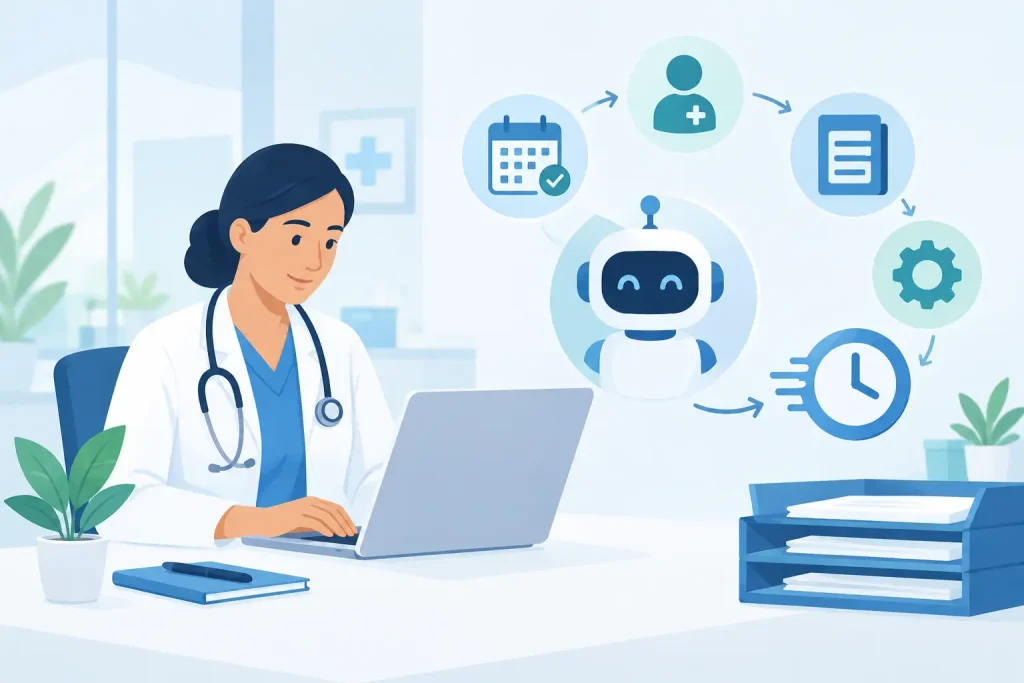
Healthcare practice workflow automation replaces those handoffs with reliable, repeatable processes. It helps your practice handle the routine work around care – booking, reminders, intake, records, billing, and communication – without asking your team to chase every task manually. The result is not less personal care. It is more time and attention for the moments that need a person.
Where administrative work quietly slows care
Most practices do not set out to build a complicated operating system. It happens one small decision at a time: a calendar for appointments, a separate form tool, a video platform for virtual visits, a payment processor, and a spreadsheet to track what still needs attention.
Each tool may work well on its own. The problem appears between them. A patient books an appointment, but someone still has to confirm it. An intake form arrives, but it must be matched to the right record. A session ends, but the invoice is created later. A missed appointment means another round of phone calls and rescheduling.
For a solo therapist, those tasks can take time away from notes and patient follow-up. For a growing clinic, they create inconsistent processes across providers and locations. Automation is most useful when it removes repetitive coordination while keeping the practice in control of clinical decisions and patient relationships.
The workflows worth automating first
You do not need to automate every process at once. Start where the same action happens repeatedly, where delays affect patients, or where missed steps affect revenue. For most healthcare practices, the highest-impact workflows are closely connected.
Appointment booking and scheduling
Online booking lets patients view available times and schedule without waiting for office hours. When availability is connected to each provider’s calendar, patients see accurate options and staff spend less time comparing schedules.
Scheduling automation should still reflect how your practice works. You may want different appointment types, provider-specific availability, buffer time between visits, or limits on how far ahead a patient can book. A nutritionist may offer an initial assessment and shorter follow-ups. A multi-provider counseling practice may need patients to select a provider, location, or telehealth option. The goal is not to make scheduling rigid. It is to make the right choices easier.
Reminders that reduce no-shows
Missed appointments cost more than the session fee. They leave unused time on a provider’s schedule and can delay a patient’s progress. Automated appointment reminders give patients a clear prompt before their visit, along with the information they need to prepare.
Timing matters. Some practices benefit from a reminder several days before the appointment and another closer to the visit. Others need confirmation requests or different messages for new patients and ongoing care. Keep messages brief, professional, and privacy-conscious. A reminder should help a patient act without exposing sensitive information.
Digital intake and patient records
Paper forms and emailed attachments create work at exactly the wrong time: just before a patient’s first appointment. Digital intake forms can collect demographics, consent, relevant history, and practice policies before the visit, so information is available in the patient record when the provider needs it.
The value is not just faster data entry. A consistent intake workflow helps every patient receive the same required documents and gives staff a clearer view of what is incomplete. For a practice adding new providers, standardized forms also reduce the risk that important administrative steps are handled differently from one clinician to the next.
Telehealth preparation and follow-up
A virtual session should not begin with a patient searching their inbox for a meeting link or a provider troubleshooting a separate platform. When secure telehealth is part of the appointment workflow, patients can receive clear access instructions tied to the right visit.
Automation can also support what happens afterward. Depending on your process, the appointment can prompt documentation, create an invoice, or trigger a follow-up message. Providers still decide what clinical follow-up is appropriate. The system simply makes sure routine operational steps do not disappear after a busy day.
Invoicing and online payments
Delayed billing often starts as a small backlog. A few invoices wait until the end of the day, then the end of the week. Before long, staff are reconciling payments across several systems and following up on balances that could have been addressed sooner.
Automated invoicing and online payment options help create a more predictable cash flow. When a completed appointment leads directly to an accurate invoice, patients have a simple way to pay and your practice has fewer manual records to maintain. Practices should still decide how they handle insurance, packages, late cancellations, refunds, and payment plans. Automation supports the policy. It does not replace it.
Build one connected workflow, not a pile of automations
Healthcare practice workflow automation works best when scheduling, patient records, telehealth, reminders, and payments share the same source of information. Otherwise, automation can simply move information between disconnected systems faster, while leaving your team to resolve duplicates and exceptions.
Think through the patient journey from the first booking to the final payment. A patient chooses a time, receives confirmation and reminders, completes intake, attends a visit, receives any appropriate follow-up, and pays securely. At each stage, ask one practical question: does someone need to do this manually every time?
If the answer is yes, decide whether the task requires judgment or just consistency. Clinical judgment, sensitive patient conversations, and unusual billing questions need people. Sending a standard reminder, collecting a signed consent form, or creating an invoice after a visit usually does not.
This distinction matters because over-automation can feel impersonal. Do not send a generic message when a patient needs a thoughtful response. Do automate the routine steps that make it easier for your team to provide that response quickly.
A practical rollout for independent practices
Start with one measurable problem, such as no-shows, delayed intake forms, or too much time spent answering booking calls. Set a baseline before changing anything. How many no-shows occur each month? How long does staff spend scheduling? How many invoices remain unpaid after 30 days?
Next, map the current process in plain language. Include what triggers each step, who owns it, and where information is stored. This often reveals that the biggest issue is not the task itself but the handoff between people or tools.
Then set up the new workflow with realistic exceptions in mind. For example, automated reminders should not prevent your staff from personally contacting a patient who needs additional support. Online booking should not eliminate the option to help patients by phone. Technology should expand access, not create a barrier for people who need another path.
Finally, review results after a few weeks. Look for fewer manual touches, faster payments, lower no-show rates, and less time spent switching between systems. Ask your team where they still have to copy information or check multiple places. Those answers point to the next workflow worth improving.
Security and trust belong in the workflow
Healthcare automation is not only about speed. Patient information requires a system designed for secure care delivery. Your scheduling, forms, records, messages, telehealth sessions, and payments should be handled with privacy in mind from the beginning.
For US practices, that means choosing tools that support HIPAA-ready workflows, using secure access controls, and avoiding the habit of sending sensitive information through casual channels. Practices serving patients across regions may also need support for GDPR requirements. The right platform should make secure work easier to maintain, rather than forcing staff to invent workarounds.
A unified practice management system such as Clinio can bring these workflows into one workspace, so your team spends less time checking separate calendars, inboxes, video tools, and payment dashboards. That matters most when your practice grows: consistent workflows help patients receive the same clear experience no matter which provider or location they use.
The best automation is often invisible to patients. They simply find an appointment, receive the right reminder, join their visit without friction, and know what happens next. For your practice, that quiet consistency creates something far more valuable: more room to focus on care.