
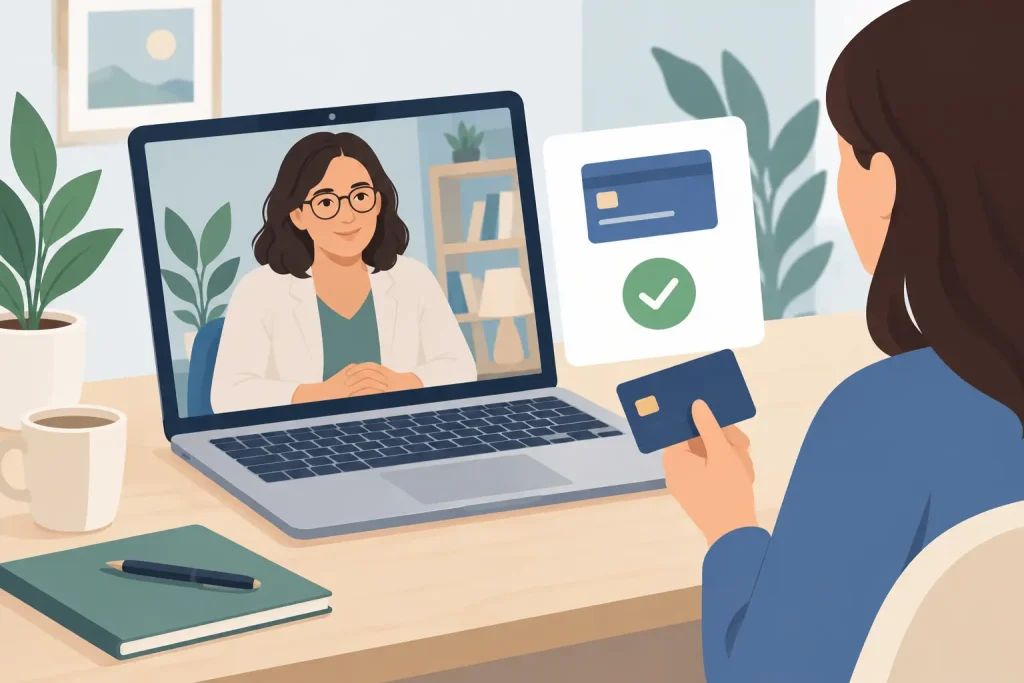
A therapy session can end with a meaningful next step for a patient, then turn into three separate administrative tasks for the practice: sending an invoice, following up for payment, and reconciling it later. When this happens repeatedly, payment collection starts taking time away from care.
To accept online payments for therapy, you need more than a payment link. You need a process that feels clear to patients, protects sensitive information, and fits naturally with scheduling, invoices, and patient records. The right setup helps you get paid faster without making financial conversations feel impersonal.
Why online payments matter for therapy practices
Many independent therapists begin with a simple process: collect a check after the session, send an invoice by email, or ask patients to call with card details. It may work when a caseload is small, but it becomes difficult to manage as appointments, providers, and locations grow.
Manual billing creates avoidable gaps. An appointment is completed, but the invoice is sent days later. A patient means to pay, but loses the email. A staff member has to check whether a balance was collected before the next appointment. Those small delays can add up to inconsistent cash flow and hours of follow-up each week.
Online payments give patients a convenient way to pay from their phone or computer while giving your practice a more predictable billing workflow. For telehealth practices, they are especially useful because there is no front desk visit where payment can be handled in person.
The benefit is not simply speed. A well-designed online payment process gives patients a clear expectation, creates a professional experience, and reduces the uncomfortable need to chase overdue balances.
Set a payment policy before you set up technology
The payment tool matters, but the policy behind it matters just as much. Patients should know when payment is due, what forms of payment you accept, how copays or self-pay fees are handled, and what happens if a payment fails or an appointment is missed.
Keep this information direct and easy to find. Include it in intake paperwork, make it part of your booking flow, and reinforce it in appointment reminders. For example, a self-pay practice may collect the full session fee when the appointment is booked. Another practice may save a card on file and charge the copay after confirming insurance eligibility. Neither approach is universally right. The best choice depends on your specialty, payer mix, cancellation policy, and how your patients prefer to pay.
For couples, family, or child therapy, clarify who is financially responsible before treatment starts. Clear expectations protect the therapeutic relationship by preventing billing confusion from becoming a clinical distraction.
Choose a secure way to accept online payments for therapy
Healthcare payments involve financial information and often connect directly to patient names, appointment details, and treatment records. That means convenience should never come at the expense of privacy.
Choose a payment solution designed to support secure healthcare workflows. Look for encrypted payment processing, secure patient access, permission controls for team members, and a clear approach to HIPAA and GDPR-ready operations. Your payment processor may handle card data, while your practice management system handles the patient, invoice, and appointment context. Both parts of the workflow need to be considered carefully.
Avoid collecting card numbers in regular email, text messages, spreadsheets, or paper notes. Even if a patient offers to send their details that way, it creates unnecessary risk and makes accurate recordkeeping harder.
A connected system is usually the simplest option. When scheduling, invoicing, reminders, and payment status live in one workspace, your team does not need to move information between separate tools or search several systems to answer a basic question such as, “Has this session been paid?”
Build payment into the patient journey
The easiest payment experience is one that does not feel like an extra task. Patients should encounter payment at logical points in their care journey, rather than receiving a surprise request weeks after a session.
At online booking
If your policy requires payment at booking, give patients the option to pay as they reserve their appointment. This can reduce no-shows and make the cost of care clear from the beginning. It works particularly well for self-pay consultations, new patient appointments, and services with fixed fees.
For practices that bill insurance, online booking can still collect necessary billing information or a card on file, depending on your process. Be transparent about when a card may be charged and why.
Before or after the session
Some therapists prefer to send an invoice after the session, particularly when the final amount can vary. In that case, send the invoice promptly while the appointment is still recent. A secure payment request in an automated reminder is more effective than a manual email sent at the end of a long day.
For telehealth, you may choose to request payment before the secure video session begins. For in-person care, a same-day invoice can give patients flexibility without requiring staff to process payment at checkout.
During follow-up and balance collection
Automated reminders can handle routine follow-up without making patients feel singled out. A polite message stating the outstanding balance and offering a secure way to pay is often all that is needed. Set reasonable reminder timing and give patients a clear contact option if they have a question or need a payment arrangement.
Automation should support human judgment, not replace it. A patient experiencing a financial hardship may need a different conversation than someone who simply overlooked an invoice.
Make invoices easy to understand
Patients are more likely to pay promptly when an invoice is simple. Use recognizable practice information, the date of service, a clear description of the charge, the amount due, and the payment deadline. If insurance is involved, distinguish between the session fee, insurance payment, adjustment, and patient responsibility where applicable.
Keep clinical details out of payment messages unless they are necessary for your operations. A payment reminder does not need to describe a diagnosis or sensitive treatment information. The goal is to provide enough context for a patient to recognize the charge while respecting privacy.
For group practices, consistent invoice formats are especially helpful. They reduce questions at the front desk and give every provider a reliable process, even when different clinicians have different schedules or service types.
Reduce administrative work with connected workflows
A disconnected payment process creates double entry. Staff may need to mark an invoice paid in one system, update a patient balance in another, and check a calendar separately to confirm whether a visit happened. That is where mistakes and missed follow-ups tend to appear.
An all-in-one practice management platform can connect the steps: a patient books online, receives reminders, attends an in-person or telehealth session, receives an invoice, and pays securely. Payment status can then be visible alongside the appointment and patient record.
Clinio brings these workflows together so therapy practices can manage scheduling, secure telehealth, invoicing, online payments, records, and patient communication in one place. For a solo therapist, that means fewer tabs and less end-of-day admin. For a growing clinic, it means better visibility across providers without adding complexity.
The right level of automation depends on your practice. A solo practitioner may only need automated invoices and payment reminders. A multi-provider clinic may also need role-based access, shared reporting, and consistent payment policies across locations. Start with the workflow causing the most friction, then build from there.
Track the numbers that affect cash flow
Once online payments are in place, review the results. You do not need a complex finance dashboard to spot useful patterns. Watch how long invoices remain unpaid, how often payment reminders are needed, whether certain appointment types have more outstanding balances, and how no-show rates change when payment is collected earlier.
These insights can help you refine your policy. If most patients pay immediately after receiving an invoice, a same-day automated invoice may be enough. If unpaid balances cluster around initial appointments, requiring payment at booking could be worth considering. If reminders create confusion, the invoice language or timing may need adjustment.
The purpose is not to pressure patients. It is to build a reliable process that supports your practice and makes paying for care straightforward.
A thoughtful online payment workflow lets you spend less time tracking invoices and more time being present with patients. Start with a clear policy, a secure system, and a payment experience that respects the people who trust you with their care.