
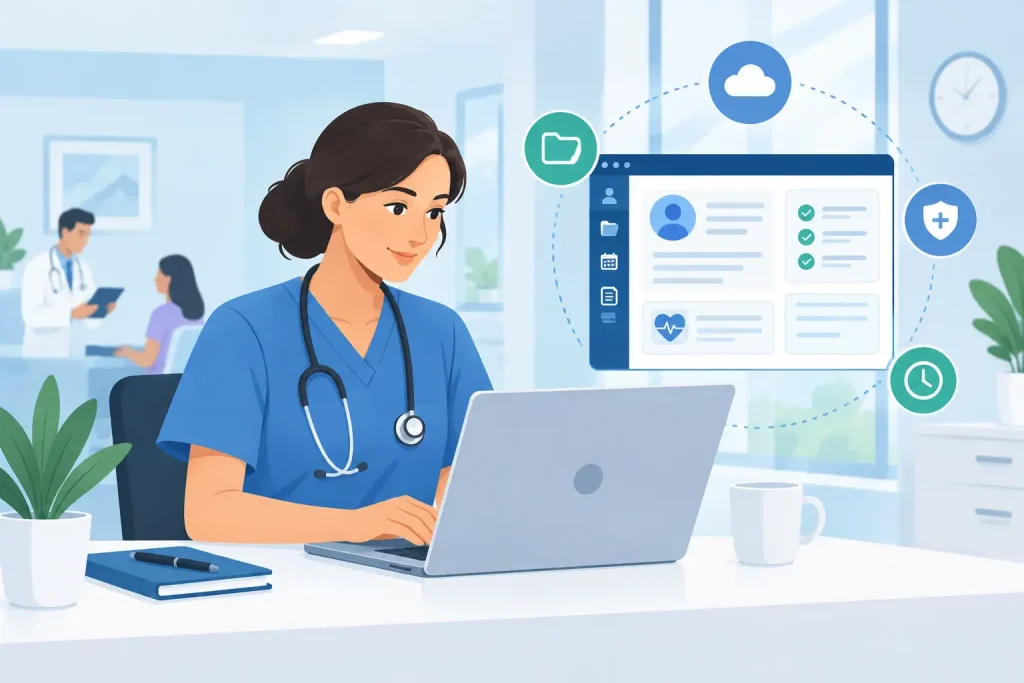
A patient leaves a productive session, but the work is not over. You still need to complete the note, update the care plan, send the invoice, confirm the next appointment, and make sure sensitive information is stored securely. Clinical documentation software brings those tasks into one connected workspace, so documentation supports patient care instead of extending your day.
For independent providers and growing clinics, the right system does more than replace paper charts. It creates a reliable workflow around every visit, from intake and scheduling through notes, billing, and follow-up. That means fewer duplicate entries, fewer missed details, and more time for the work your patients actually came to you for.
Why clinical documentation software matters
Clinical notes are both a care tool and a business responsibility. They help you track a patient’s progress, communicate with authorized team members, support continuity of care, and maintain the records your practice needs. When notes live in one system, invoices in another, and appointment details in a separate calendar, each handoff creates another opportunity for error.
Disconnected tools also make routine work take longer than it should. A provider may need to search for a patient history before a session, copy appointment details into a note, then return to another platform to collect payment. None of those tasks is difficult on its own. Together, they interrupt focus and add administrative work to an already full schedule.
A connected platform keeps the patient record at the center of the workflow. The appointment can lead directly to the right chart, intake information can be available before the first visit, and completed documentation can support billing without requiring repeated data entry. For a solo therapist, this may save valuable time between sessions. For a multi-provider clinic, it can create more consistent processes across the team.
What clinical documentation software should do
The best fit depends on your specialty, team size, documentation style, and how you deliver care. A psychologist managing recurring therapy sessions will have different needs from a physiotherapy clinic coordinating treatment plans across locations. Still, the most useful systems solve the same core operational problem: they keep patient information accurate, accessible to the right people, and connected to daily practice tasks.
Make notes easier to complete and find
Your documentation system should make it easy to create structured notes without forcing every provider into an identical clinical style. Look for configurable templates, support for common note formats, and a clear patient timeline that keeps progress notes, forms, care plans, and uploaded files together.
Templates can save hours every week, but they need to be used thoughtfully. A template should reduce repetitive typing, not encourage generic documentation. Providers should still be able to capture what happened in the session, the patient’s response, their clinical judgment, and the next steps in a way that is specific and meaningful.
Fast access matters just as much as note creation. Before a visit, you should be able to see relevant history without opening multiple applications or searching through email threads. After a visit, it should be clear which note is complete, which needs review, and what follow-up is due.
Connect documentation to scheduling and intake
Clinical records are more useful when they reflect what is happening in the practice now. When scheduling and documentation work together, providers can move from the day’s calendar directly into the appropriate patient record. This reduces manual searching and helps ensure the right information is available at the right time.
Online booking, appointment reminders, and digital intake forms also improve the quality of information that reaches the chart. Patients can complete forms before the visit, while automated reminders reduce no-shows and last-minute gaps in the schedule. The result is a smoother experience for patients and less phone-based coordination for your team.
There is a practical trade-off here. Highly detailed intake forms can collect useful background information, but overly long forms may discourage completion. Start with the information needed to prepare safely for the first appointment, then collect additional details when they are clinically relevant.
Support billing without creating duplicate work
Documentation and revenue are closely connected. When services, appointments, invoices, and payments are managed separately, practices often spend extra time reconciling what was delivered with what was billed. A unified system can help turn completed visits into invoices, track outstanding balances, and give staff a clearer view of cash flow.
That does not mean every practice needs the same billing workflow. Some providers bill patients directly, while others manage more complex insurance processes. The right software should support the way your practice operates today while leaving room to grow. For many independent practices, simple invoicing, online payments, and clear payment status are the features that make the biggest difference first.
Protect patient privacy by design
Patient documentation contains highly sensitive information. Security should not be an afterthought or a separate checklist your team has to manage manually. Look for features such as encrypted data, secure access controls, protected telehealth sessions, and clear permissions for each team member.
Technology can support HIPAA and GDPR requirements, but software alone does not create compliance. Your practice also needs appropriate policies, staff training, account security, and careful decisions about who can access which records. A platform with sensible permission settings and centralized records makes those responsibilities easier to manage consistently.
How a connected workflow saves time
Consider a typical patient journey. A new patient finds an available time through online booking and receives a confirmation. Before the appointment, they complete secure intake forms. The provider reviews those details, conducts the visit in person or through telehealth, and completes the clinical note from the patient record. The appointment then supports invoicing and payment follow-up without staff re-entering the same information.
Each step is familiar. The difference is that the information moves with the patient rather than being copied between disconnected tools. That reduces small delays that can otherwise accumulate across a week.
For a practice owner, the benefit is also visibility. When schedules, patient records, payments, and team activity are organized in one place, it becomes easier to see where work is getting stuck. You may notice incomplete documentation, overdue invoices, frequent cancellations, or uneven provider schedules early enough to address them.
How to choose software for your practice
Start by mapping the workflow you use now, including the work that happens outside your formal systems. Ask where staff copy information, chase confirmations, search for patient details, or switch between tabs. Those are the areas where a unified platform can produce the fastest return.
Next, focus on ease of adoption. A feature-rich system is not helpful if providers avoid it because it feels difficult or slow. Your team should be able to learn the core workflow quickly: find a patient, review records, document a visit, schedule the next appointment, and handle payment. A short trial period is useful because it reveals whether the software fits real working days, not just a product demonstration.
Also consider what happens as you grow. A system that works for one practitioner should not require a complete replacement when you add another provider, administrator, or location. Clinio is designed to bring scheduling, records, telehealth, invoicing, reminders, and team coordination into one affordable workspace, helping practices build a consistent process without assembling a stack of separate tools.
Finally, choose clarity over complexity. You do not need every possible feature on day one. You need a dependable system that supports your current care model, protects patient information, and removes the repetitive tasks that keep you away from patients.
Make documentation a better part of care
Adopting new software works best when you make the transition manageable. Begin with your active patient records and the workflows that create the most friction, rather than trying to redesign every process at once. Set clear documentation expectations, give your team time to practice, and refine templates based on real use.
The goal is not to turn patient care into a series of clicks. It is to create a calmer, more organized practice where the right information is ready when you need it. When documentation, scheduling, communication, and payments work together, you can spend less energy managing the business of care and more energy delivering it.