
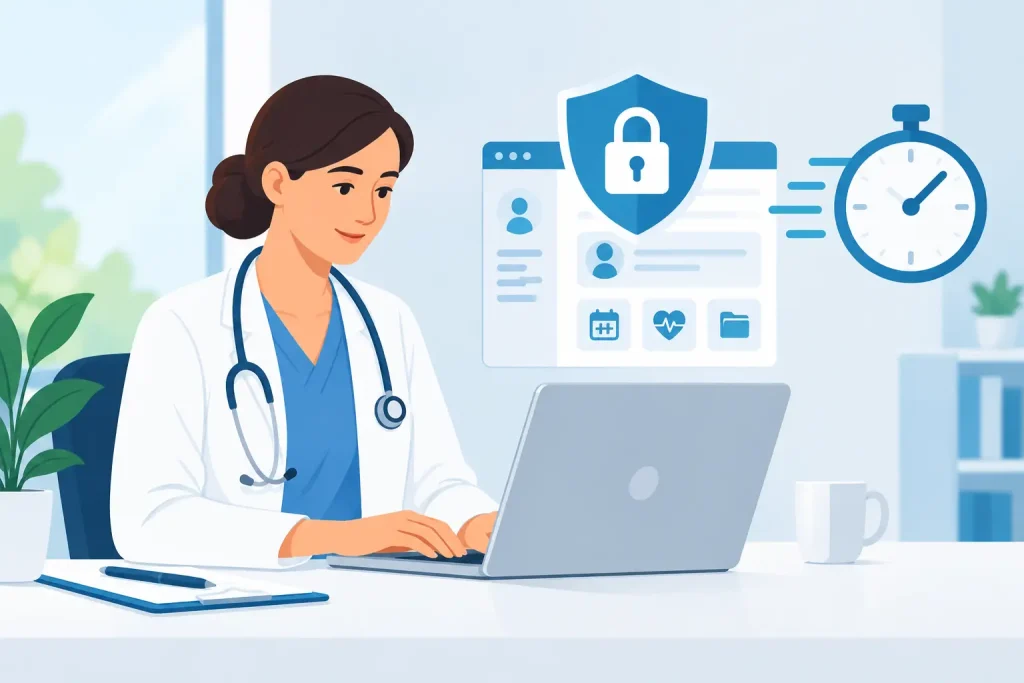
A patient sends a late-night booking request, another needs a telehealth link, and an unpaid invoice is still sitting in a separate billing system. When each task lives in a different tool, the work adds up quickly. HIPAA compliant practice software gives independent providers one secure place to manage the daily details of care, without asking them to become IT experts.
For a solo therapist, a growing nutrition practice, or a multi-provider clinic, the right system does more than store records. It helps protect patient information while making booking, visits, documentation, payments, and follow-up easier to manage. That means fewer manual handoffs, fewer missed details, and more time for patient care.
Why disconnected tools create compliance risk
Many practices begin with a calendar, email inbox, video app, payment processor, and file storage account. Each tool may work well on its own. The problem is what happens between them.
A patient might submit health information through an unsecured form, receive a video link through a personal email account, or have billing details copied manually into another system. Those gaps can create unnecessary privacy risk and make it harder for a practice owner to see where protected health information is stored, shared, and accessed.
HIPAA is not simply a box a software vendor checks on your behalf. Compliance depends on your policies, staff training, user access, and day-to-day processes as well as the technology you choose. Still, using systems designed to support HIPAA requirements gives your practice a much stronger operational foundation than trying to connect consumer tools after the fact.
What HIPAA-ready software should support
A practical platform should make secure workflows the easy choice, not an extra task your team has to remember. Look for safeguards that match how your practice actually operates.
Secure access and controlled permissions
Patient records should be protected in transit and at rest using appropriate encryption. Your team should also be able to use individual logins rather than shared passwords, with access based on each person’s role. A front-desk coordinator may need to manage appointments and payments, for example, without having the same record access as a treating provider.
Access controls matter even in a two-person practice. They create clearer accountability and become even more valuable as you add providers, administrative staff, locations, or contractors.
Secure patient communication
Patients expect convenient communication, but standard email and personal texting can expose sensitive details. A secure messaging option lets patients and providers exchange practical information within a protected environment. It also keeps conversation history connected to the patient relationship instead of scattered across personal devices.
The goal is not to eliminate every email. It is to avoid placing clinical details, intake information, and other protected health information in channels that were not built for it.
Telehealth designed for care delivery
Virtual care involves more than a video call. Patients need a simple way to join their appointment, providers need confidence that sessions are private, and administrators need a reliable process for scheduling and reminders.
A secure telehealth feature connected to the schedule reduces steps for everyone. The appointment, patient record, session access, and follow-up can remain in one workflow. For providers who offer a mix of in-person and virtual visits, that consistency can save hours every week.
Digital records, forms, and documentation
Paper intake packets and downloaded attachments create a storage problem as quickly as they create a workflow problem. Digital intake forms, clinical notes, and patient records should be collected and stored in the same secure system where your team manages care.
This approach improves the patient experience, too. A new patient can complete forms before their first appointment instead of arriving early to fill out paperwork on a clipboard. Your team has the information it needs before the visit, while the record remains organized and easier to retrieve.
Business associate agreements and vendor review
If a vendor handles protected health information on behalf of your practice, a Business Associate Agreement, or BAA, is generally a key part of the HIPAA relationship. Ask prospective vendors whether they provide one and understand what services and responsibilities it covers.
A BAA does not make every workflow automatically compliant. It does establish commitments around how patient information is handled. You should also review where data is hosted, how backups are managed, how incidents are addressed, and whether the vendor can support your practice as it grows.
Choose software around the patient journey
Security is essential, but it should not force your practice into a slower, more complicated process. The most useful HIPAA compliant practice software follows the path your patients already take, from booking to payment.
Start with scheduling. Online booking can give patients 24/7 access to available appointment times while reducing phone calls and scheduling back-and-forth. Automated reminders can lower no-shows without requiring staff to send individual messages each day.
Next, consider the appointment itself. Whether you meet in person or online, the provider should be able to review relevant information, document the visit, and arrange follow-up without switching between multiple systems. When records and scheduling are connected, administrative details are less likely to fall through the cracks.
Then consider payment. Invoicing and online payment tools linked to appointments make it easier to charge accurately and give patients a more professional experience. Instead of tracking visits in one system and payments in another, your practice can follow a cleaner path from completed service to paid invoice.
For a growing clinic, team coordination is equally important. Shared calendars, provider availability, location details, and role-based access can keep operations clear without giving every team member visibility into information they do not need.
Questions to ask before you buy
Software demos often focus on feature checklists. Ask practical questions that reveal how the system will perform during a busy week:
- Can patients book, complete intake forms, receive reminders, and pay online without moving through several disconnected tools?
- Does the platform support secure telehealth, records, messaging, and permissions in the same workspace?
- Will the vendor provide a BAA when appropriate for your use of the service?
- Can you add providers, staff members, or locations without rebuilding your workflow?
- How quickly can your team learn the system and begin using it consistently?
The lowest monthly price is not always the lowest operational cost. A collection of low-cost tools can become expensive when staff spend time reconciling calendars, searching for forms, sending manual reminders, and correcting billing errors. A unified platform may reduce those hidden costs by bringing everyday work into one place.
Build compliance into everyday habits
Even excellent software needs thoughtful use. Create written policies for device security, passwords, access changes, patient communication, and incident reporting. Train every staff member on those policies, including temporary administrative support. Review user access when someone changes roles or leaves the practice.
It is also wise to keep personal and professional systems separate. Do not download records to an unprotected device simply because it is convenient, and avoid using a personal text thread to manage patient details. Small habits are often where privacy protection succeeds or fails.
For practices that serve patients across different locations or offer virtual services, confirm the operational and legal requirements that apply to your specific setting. HIPAA is a federal framework, but state privacy rules and professional licensing obligations may add further responsibilities.
A simpler system supports better care
The right platform should not make you think about technology all day. It should help patients find an appointment, complete required information, attend their session, and pay with less friction. It should help your team stay organized while treating privacy as part of the workflow, not a separate project.
Clinio brings scheduling, secure telehealth, patient records, forms, invoicing, online payments, reminders, messaging, and team coordination into one HIPAA- and GDPR-ready workspace. For independent providers and clinics, that means less time managing disconnected systems and more time focused on the people who rely on your care.
Start by mapping the tools your practice uses this week. The clearest opportunity is often not another feature, but one secure system that makes the work you already do simpler.