
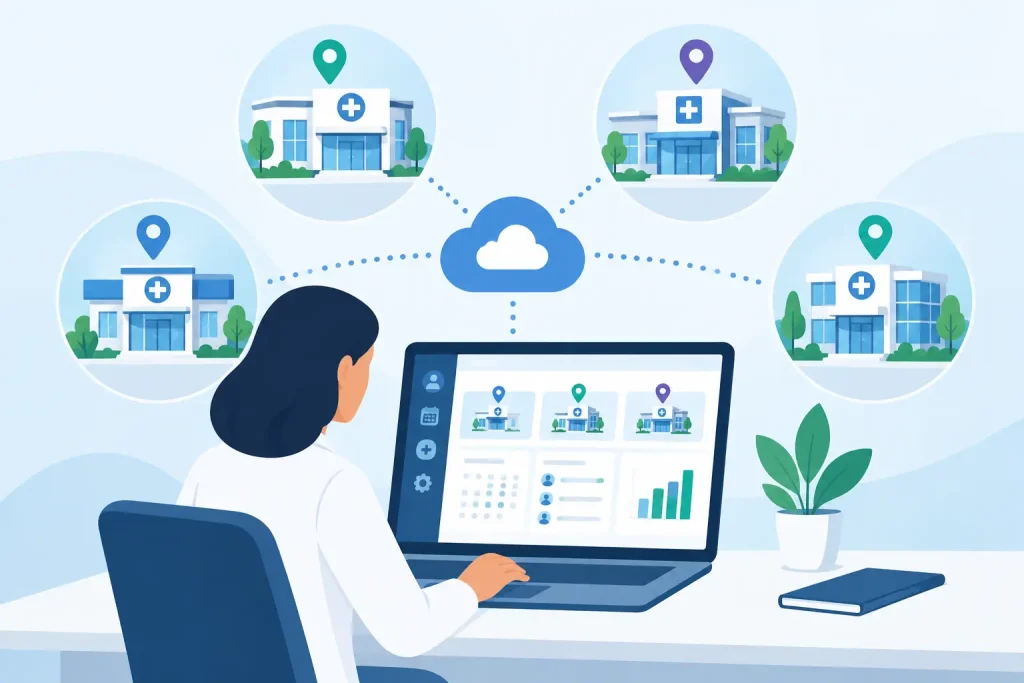
A second location should create more capacity for care, not twice the administrative work. Yet many growing practices find themselves juggling separate calendars, phone lines, payment tools, and patient files for each office. Multi location clinic management software gives your team one clear place to manage the work, while keeping each location organized around its own providers, schedules, and patients.
For independent clinics, the goal is not to add enterprise complexity. It is to make everyday operations easier: patients can book the right appointment, staff can see what is happening across the practice, providers can access the records they need, and invoices do not get left behind after a busy day.
Why multi-location clinics need one operating system
When locations run on disconnected systems, small issues quickly become operational problems. A patient may call the wrong office, a provider’s availability may be outdated online, or an administrator may need to check several calendars before confirming an appointment. That friction affects the patient experience and takes time away from the team.
A shared system creates a single source of truth. Your clinic can coordinate appointments, patient information, billing, forms, and communication without asking staff to switch between tools or manually re-enter the same details. Each location can still maintain the practical distinctions that matter, including its address, hours, providers, rooms, and appointment availability.
This becomes especially valuable when patients receive care at more than one location. With secure, centralized patient records, authorized providers can review the relevant history without waiting for a file transfer or relying on incomplete notes. Patients do not have to repeat basic information every time they see a new member of the care team.
The result is a practice that feels connected to patients, even when the team is working from different offices.
What multi location clinic management software should handle
The right platform should support the full patient journey, not just scheduling. A calendar that shows multiple offices is useful, but it will not solve the work created by intake paperwork, appointment reminders, virtual visits, invoicing, and follow-up messages.
Location-aware scheduling and online booking
Scheduling is where multi-location complexity becomes visible first. Your team needs to know which provider works where, what services are available at each office, and whether a room or resource is available. Patients need a simple booking experience that points them to the correct provider, service, and location.
Look for scheduling that lets you manage provider availability by location while keeping a clear view of the whole practice. Online booking should work around the clock, so patients can request or book care without waiting for office hours. This reduces phone traffic and helps fill schedules without adding more manual coordination.
Automated appointment reminders matter here too. They help patients remember where and when they are expected, reducing avoidable no-shows and last-minute calls. For a clinic with several locations, accurate reminders are a small operational detail with a meaningful impact on attendance.
Shared records with appropriate access
Centralized patient records improve continuity of care, but access needs to be managed thoughtfully. A front-desk team member may need to update contact details and confirm appointments, while a practitioner needs clinical notes, intake forms, and treatment history. Practice owners may need reporting visibility without viewing every clinical detail.
Choose software that supports clear team roles and secure access. This lets staff do their jobs efficiently while protecting sensitive health information. For US practices, HIPAA-ready safeguards should be part of the everyday workflow, not an afterthought added after the system is already in use.
A practical test is simple: can a provider working at another office prepare for a session without calling someone to locate information? If the answer is no, your records process is still creating unnecessary delays.
Billing and payments that stay connected to care
Multi-location billing can become confusing when invoices are created in one system, payments are processed in another, and appointment data lives somewhere else. Staff then spend time matching transactions, chasing balances, and correcting avoidable errors.
An integrated workflow connects appointments, invoices, and online payments in one place. After a session, the team can create or send an invoice without retyping patient details. Patients can pay online, and administrators can see outstanding balances before they become difficult to collect.
This does not mean every location must use the same pricing structure. Some practices offer different services, provider rates, or payment processes by office. The software should give you enough flexibility to reflect how your practice actually works, while still giving leadership a consistent view of revenue and payment status.
Communication that does not depend on personal devices
Patients often have simple questions: Where is the office? Do I need to complete a form before my visit? Can I move my appointment? If these messages are spread across personal texts, email inboxes, and voicemail, they are hard to track and even harder to hand off when a staff member is unavailable.
Centralized patient messaging keeps communication connected to the patient relationship. Secure messages, automated reminders, and digital intake forms reduce repetitive front-desk work while giving patients a more professional experience. They also help a practice maintain consistency across locations, even when each office has its own daily rhythm.
Reporting that helps you make practical decisions
Adding a location is an investment. You need visibility into whether schedules are filling, which services are in demand, how many appointments are being missed, and whether payments are arriving on time.
Good reporting should help you answer operational questions without requiring a spreadsheet project at the end of every month. You may want to compare appointment volume by location, monitor provider utilization, or identify where cancellations are rising. The value is not in producing more reports. It is in spotting where a workflow needs attention before it becomes a larger problem.
How to choose a system for a growing practice
Start with the workflows that create the most friction now. A two-location therapy practice may need shared calendars and secure telehealth. A physiotherapy clinic may care more about room scheduling, intake forms, and faster payments. A nutrition practice with remote clients may prioritize online booking, messaging, and virtual sessions.
Then consider what happens when you add another provider or office. A system that works for one administrator may not work when several team members need to coordinate schedule changes at once. Ask whether roles, permissions, provider schedules, and patient records can grow with the practice without requiring a separate tool.
Avoid buying software based only on a long feature list. A platform can include advanced options and still slow your team down if everyday tasks take too many clicks. The best choice is usually the one your staff can learn quickly and use consistently for the work they already do.
It also helps to map your current stack before you switch. Write down every calendar, video tool, form builder, payment processor, messaging channel, and records system your team uses. If a new platform replaces several of them, calculate the time saved in addition to the subscription cost. Fewer systems can mean fewer logins, fewer handoffs, and fewer opportunities for patient details to get lost.
Make the transition manageable
Changing systems can feel risky when patient care is busy. The answer is not to delay indefinitely. It is to make the rollout deliberate.
Begin by setting up locations, providers, services, and appointment types clearly. Bring over the active information your team needs first, such as upcoming appointments, current patient records, and outstanding invoices. Give administrators and providers a chance to practice the core workflows before relying on the system for a full day of appointments.
Keep the training focused on real tasks: booking a patient at the right office, sending an intake form, starting a secure telehealth session, documenting a visit, and collecting payment. When everyone understands how the workflow fits together, adoption is faster and the system starts reducing work sooner.
Clinio is designed to bring scheduling, records, telehealth, billing, payments, forms, reminders, messaging, and team coordination into one secure workspace. For a growing clinic, that means everything you need to manage daily operations without stitching together separate tools.
A connected practice does not have to feel impersonal. When your team spends less time searching for information, reconciling calendars, and following up on routine admin, they have more attention for the person in front of them. Choose software that makes expansion easier to manage and lets every location deliver the same dependable standard of care.